GitHub: Where the world builds software
GitHub is where over 65 million developers shape the future of software, together. Contribute to the open source community, manage your Git repositories, review code like a pro, track bugs and feat...
github.com
들어가서 로그인하고 보관소를 만들기 클릭
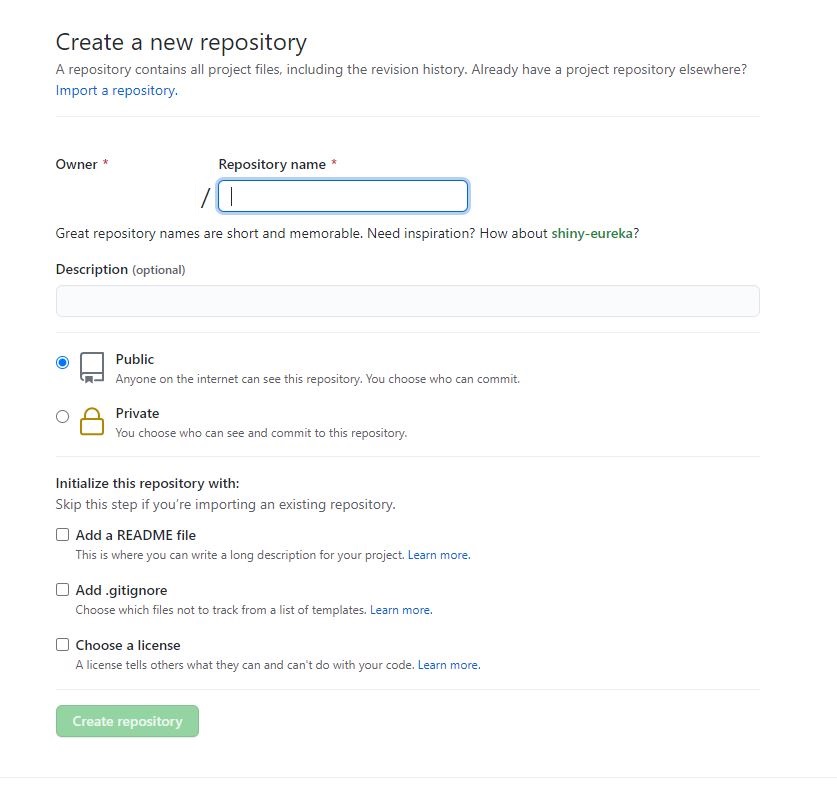
Add.gitignore 체크하고 Unity 선택 후 생성한다.
그리고 소스트리 설치 후 실행
https://www.sourcetreeapp.com/
Sourcetree | Free Git GUI for Mac and Windows
A Git GUI that offers a visual representation of your repositories. Sourcetree is a free Git client for Windows and Mac.
www.sourcetreeapp.com
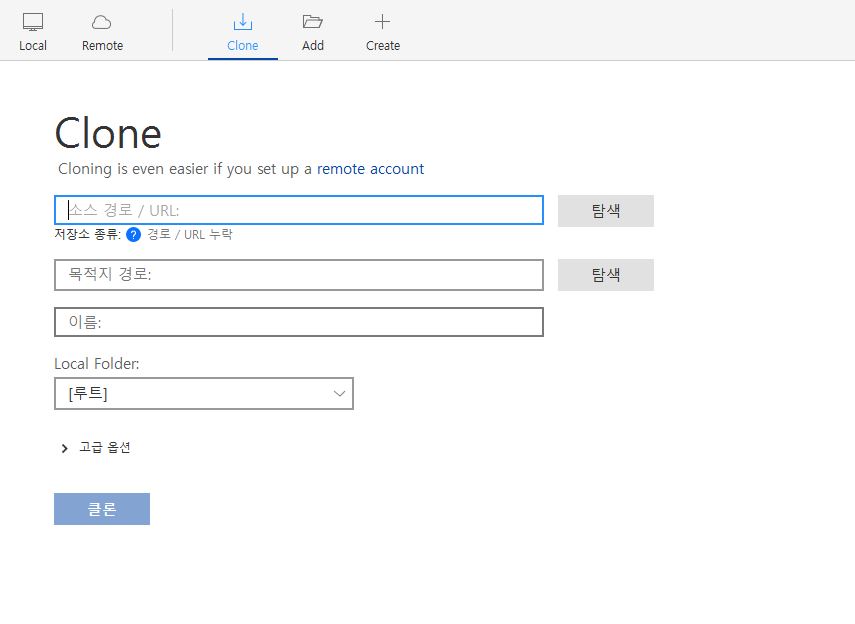
여기서 클론에 들어가 깃에 생성된 저장소 주소를 입력하고 목적지 경로를 확인 후 실행한다.
다음으로 유니티를 실행해서 프로젝트를 생성하고 생성된 파일을 전부 깃허브 폴더안에 넣는다.
그리고 깃허브 폴더를 추가하면 된다.
'게임 프로그래밍 > Unity' 카테고리의 다른 글
| Z 위치에 대해서 (0) | 2021.11.12 |
|---|---|
| AddComponent (0) | 2021.11.12 |
| 스크립트로 sprite 불러오기 (0) | 2021.11.12 |
| 캔버스 옵션 설명 (0) | 2021.11.12 |
| 게임오브젝트를 프리팹과 끊는 법 (0) | 2021.11.12 |





최근댓글